
KINGrinder K6 Grind Settings Chart for Every Brew Method
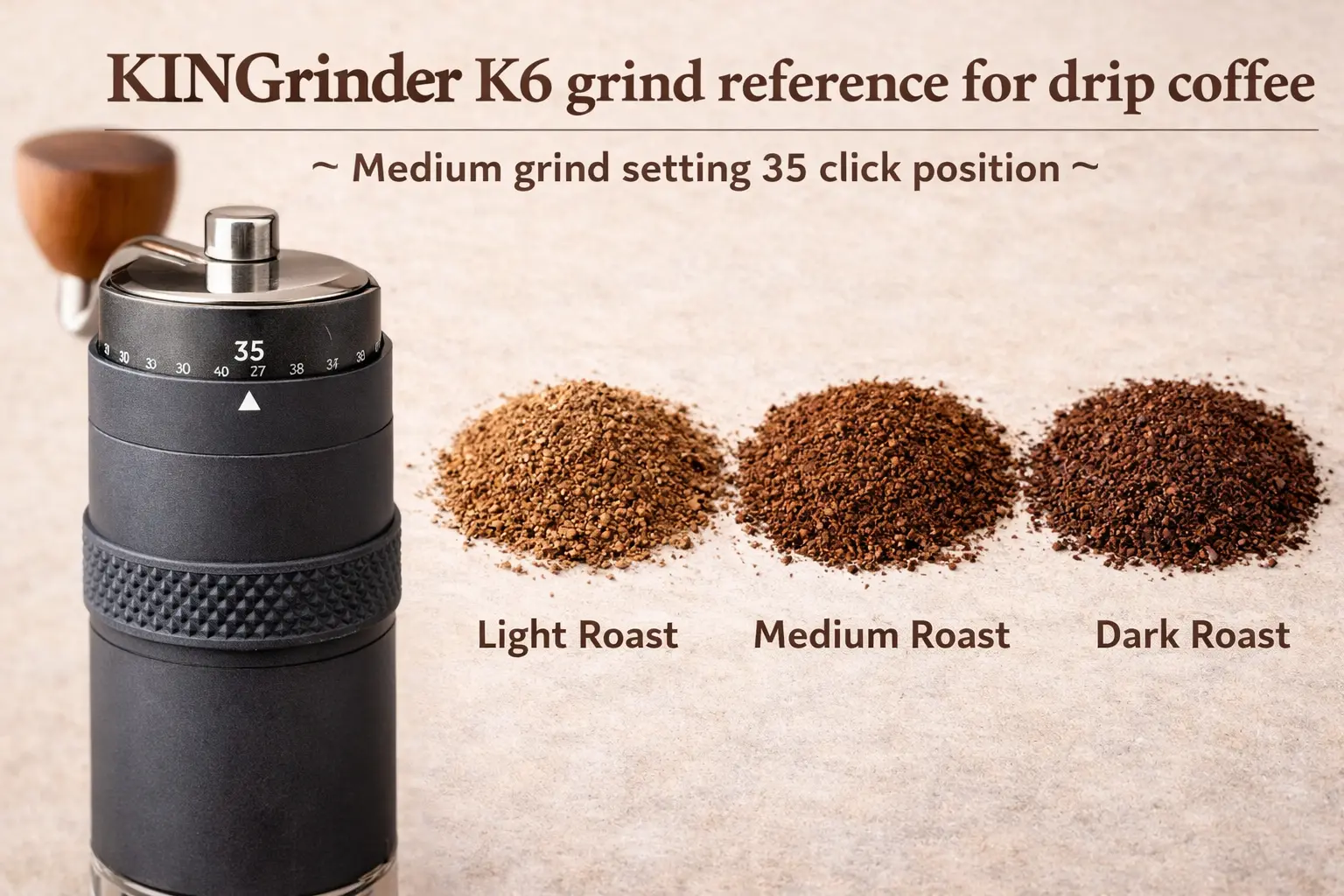
Editorial standards: manufacturer specifications and official grind-setting ranges are separated from CoffeeGearHub editorial starting points. The recommended starting settings below are intended for dialing in, not as fixed guarantees for every coffee, brewer, or recipe. CoffeeGearHub does not claim hands-on product testing where it has not occurred.
At a glance
What this guide covers
Use the KINGrinder K6 across espresso, moka pot, AeroPress, V60, Kalita Wave, Chemex, automatic drip, siphon, French press, cold brew, and Turkish-style coffee—with click ranges, rotation equivalents, and simple taste-based adjustments.
Editorial analysis
The K6 is precise enough that a small click change matters
KINGrinder specifies 60 clicks per full rotation and 16 microns of burr movement per click on the K6. That gives the grinder enough resolution to cover espresso through French press without forcing large jumps between settings.
The useful way to read any K6 chart is as a starting zone rather than a recipe. Roast level, bean density, dose, brewer geometry, filter resistance, and water all shift the final setting. Start in the correct band, taste the result, then move in small, repeatable steps.
The 30-Second Answer
On the KINGrinder K6, one full rotation equals 60 clicks. A practical starting point is about 35–45 clicks for espresso, 65–75 for moka pot, 70–85 for AeroPress, 90–110 for most pour-over brewers, 100–115 for automatic drip, 135–150 for French press, and around 150 for cold brew.
KINGrinder’s current official reference bands are broader: 25–60 clicks for espresso, 60–90 for moka pot/AeroPress, 90–120 for pour-over/siphon, and 150 clicks for French press. Use the narrower CoffeeGearHub ranges below to get close, then dial by taste.
Useful dial-in tools
The grinder and one tool that makes settings repeatable
A repeatable grinder setting is only useful if dose and water stay consistent. The K6 handles grind adjustment; a scale keeps the rest of the recipe from drifting.
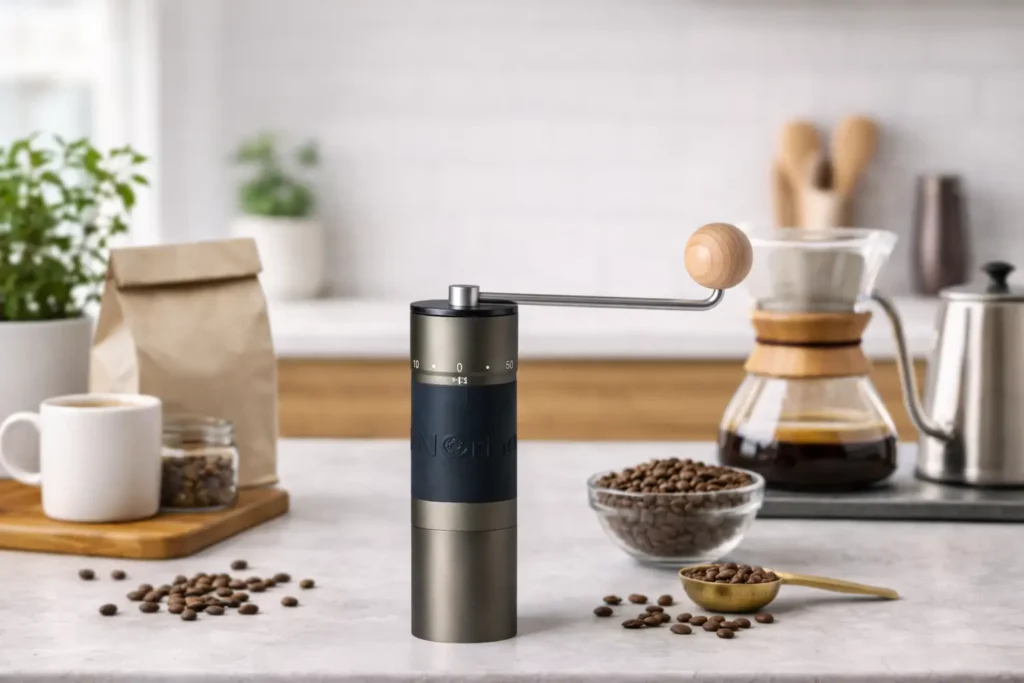 KINGrinder K6 External adjustment, 60 clicks per rotation, and fine enough steps for espresso through coarse brewing. Check Price on Amazon →
 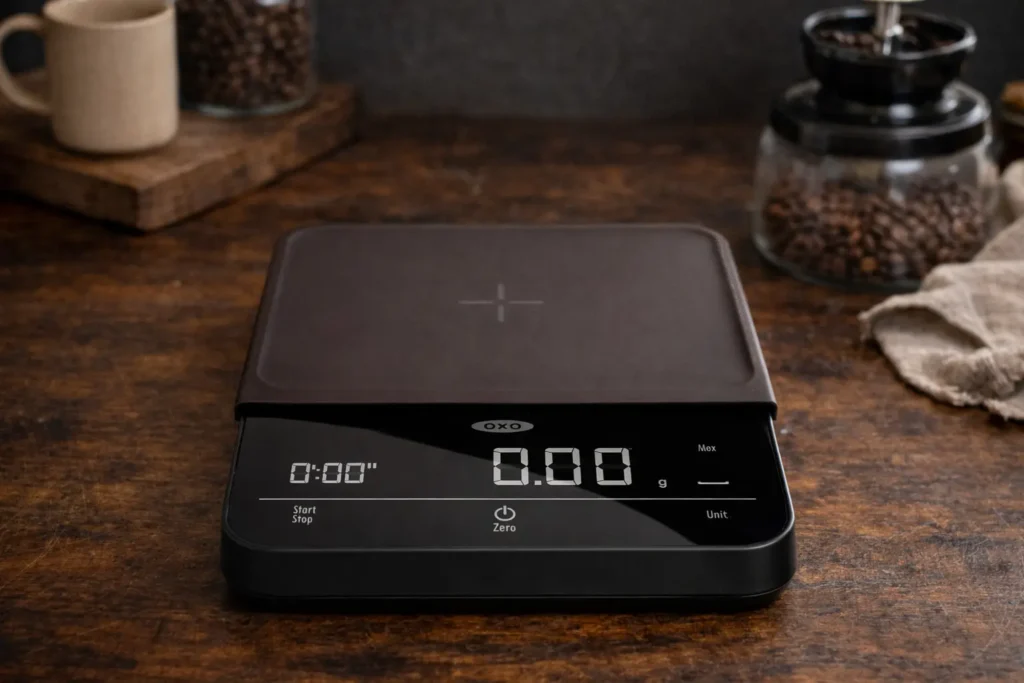 Coffee Scale with Timer Useful for keeping dose, water, and brew time fixed while you change only the grinder setting. Check Price on Amazon →
 Affiliate disclosure: These Amazon links may earn CoffeeGearHub a commission at no additional cost to you. As an Amazon Associate, we earn from qualifying purchases. Prices and availability can change.
How the KINGrinder K6 Dial Works
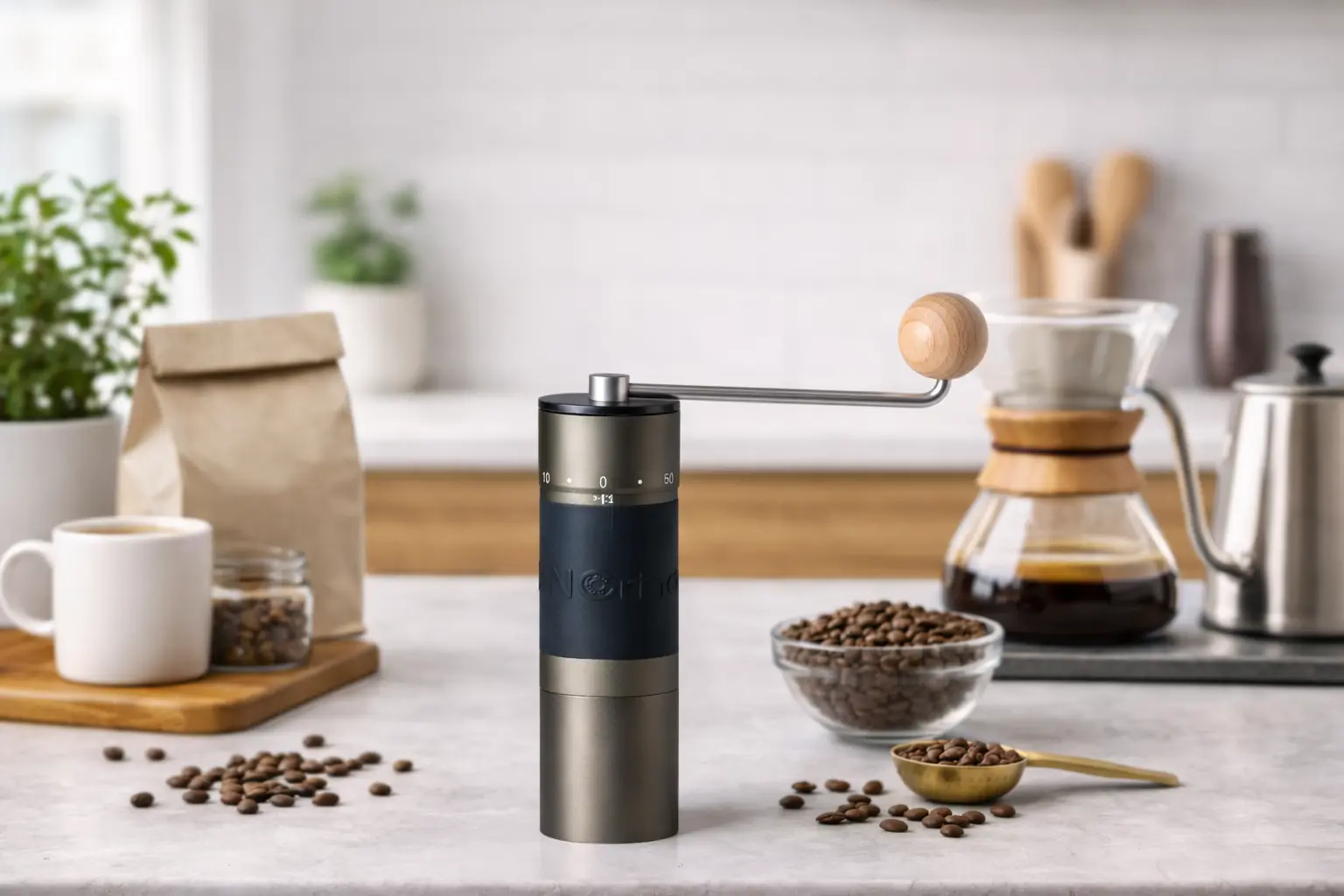
The K6 uses an exterior adjustment ring, so you can change grind size without removing the catch cup. KINGrinder specifies 60 clicks per full rotation and 16 microns per click. The grinder uses a 48 mm stainless-steel burr and has a stated hopper capacity of roughly 30–35 grams.
To establish a reference point, gently rotate the adjustment ring clockwise until it reaches zero resistance. Do not force it tighter. From that zero point, rotate counterclockwise to move coarser.
One detail matters: the printed number showing on the dial is not necessarily the same thing as the total number of clicks you have moved from zero. For repeatability, think in total clicks or rotations from your own zero point.
Important zeroing note: KINGrinder’s FAQ warns against grinding within the first 16 clicks from zero. Treat the closed-burr point as a reference, not a usable brewing setting.
KINGrinder K6 Grind Settings Chart
The table below separates a practical CoffeeGearHub starting point from the wider manufacturer reference zone. The editorial ranges are not factory specifications; they are narrower starting windows intended to reduce the amount of trial-and-error required for common recipes.
| Brew method | Start here | Rotation equivalent | Manufacturer / grind-zone reference | Adjust from there |
|---|---|---|---|---|
| Turkish-style | 18–25 clicks | 0.3–0.4 turns | Turkish reference extends into the extra-fine/fine range | Finer for more powder-like texture; do not grind inside the first 16 clicks |
| Espresso | 35–45 clicks | 0.6–0.75 turns | 25–60 clicks | Finer if the shot runs fast; coarser if it chokes or runs too slowly |
| Moka pot | 65–75 clicks | 1.1–1.25 turns | 60–90 clicks for moka pot / AeroPress | Finer for a thin brew; coarser for harsh bitterness or sputtering |
| AeroPress | 70–85 clicks | 1.2–1.4 turns | 60–90 clicks for moka pot / AeroPress | Finer for short brews; coarser for long immersion recipes |
| V60 | 90–105 clicks | 1.5–1.75 turns | 90–120 clicks for pour-over / siphon | Finer if drawdown is too fast; coarser if the bed stalls |
| Kalita Wave | 95–110 clicks | 1.6–1.8 turns | 90–120 clicks for pour-over / siphon | Use flow time and taste together; flat-bottom filters can tolerate a slightly coarser start |
| Chemex | 105–120 clicks | 1.75–2 turns | 90–120 clicks for pour-over / siphon | Move coarser if the thick paper filter produces a very slow drawdown |
| Automatic drip | 100–115 clicks | 1.7–1.9 turns | K6 medium range: 90–120 clicks | Finer for weak, fast brews; coarser for bitterness or overflow |
| Siphon | 95–110 clicks | 1.6–1.8 turns | 90–120 clicks for pour-over / siphon | Keep the grind even enough to avoid clogging the filter |
| French press | 135–150 clicks | 2.25–2.5 turns | 150 clicks | Go slightly finer if the cup is hollow; coarser if sediment and bitterness dominate |
| Cold brew | 145–160 clicks | 2.4–2.7 turns | K6 coarse reference: about 150 clicks | Finer for short steeps; coarser for 18–24 hour immersion |
Quick conversion: 60 clicks = 1 rotation, 90 clicks = 1.5 rotations, 120 clicks = 2 rotations, and 150 clicks = 2.5 rotations.
Similar Grinders to Compare With the KINGrinder K6
The K6 sits in an unusually broad middle ground: it is manual, portable, precise enough for fine adjustment, and capable of working across espresso and filter brewing. These alternatives make sense when you want to trade price, manual effort, electric convenience, or filter-focused grind quality in a different direction.
Similar grinders
Four alternatives worth comparing
These are not interchangeable grinders. Compare them by workflow first: manual versus electric, espresso capability, portability, and whether you mostly brew filter coffee.
 Timemore Chestnut C3 Pro Lower-cost manual alternative for pour-over, AeroPress, moka pot, drip, and French press users who do not need the K6’s full adjustment range. Check Price on Amazon →
  Comandante C40 MK4 Premium manual alternative for buyers prioritizing filter-coffee grind quality, build quality, and a long-term hand-grinding workflow. Check Price on Amazon →
 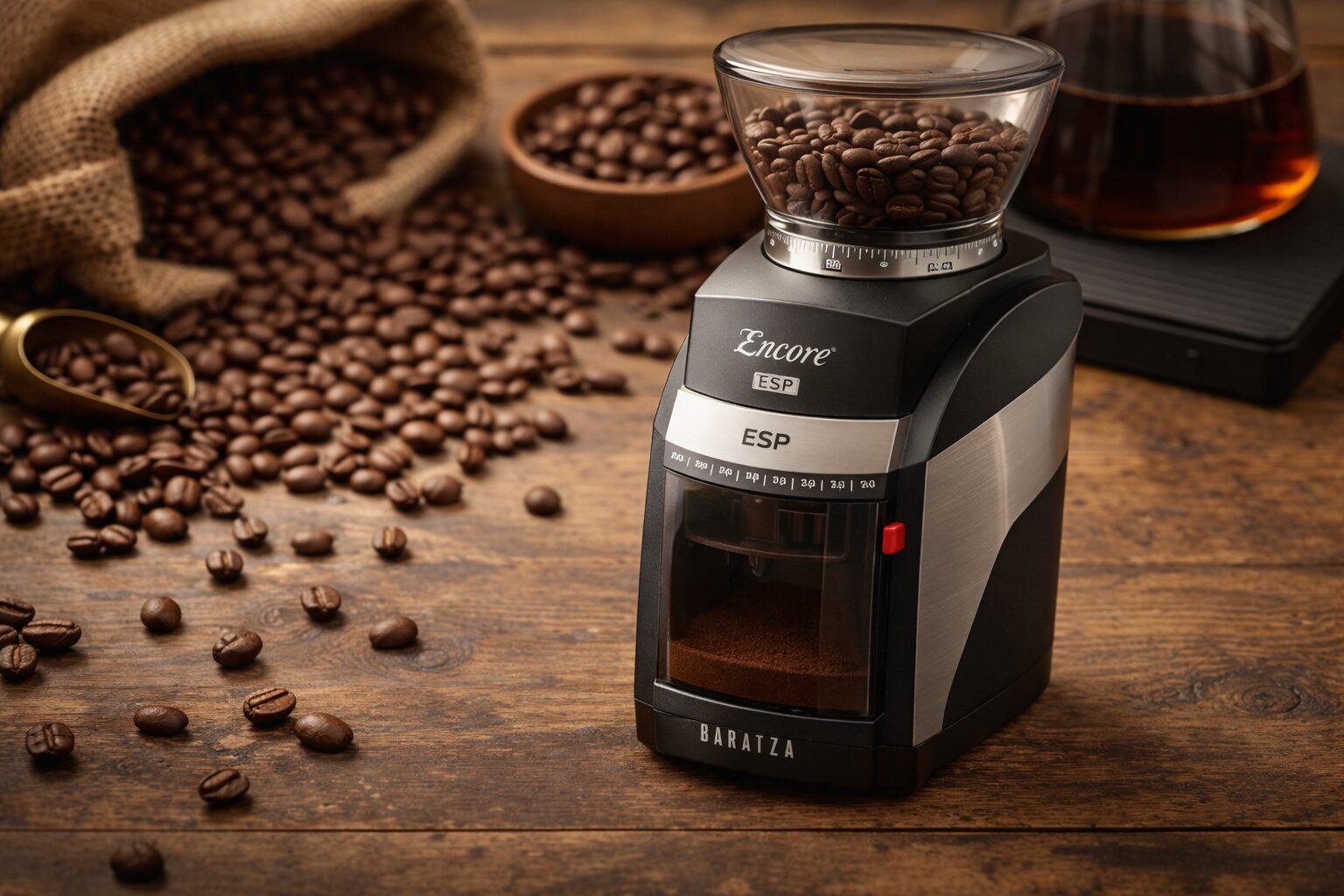 Baratza Encore ESP Electric alternative for households that want one grinder for espresso and filter coffee without hand grinding every dose. Check Price on Amazon →
 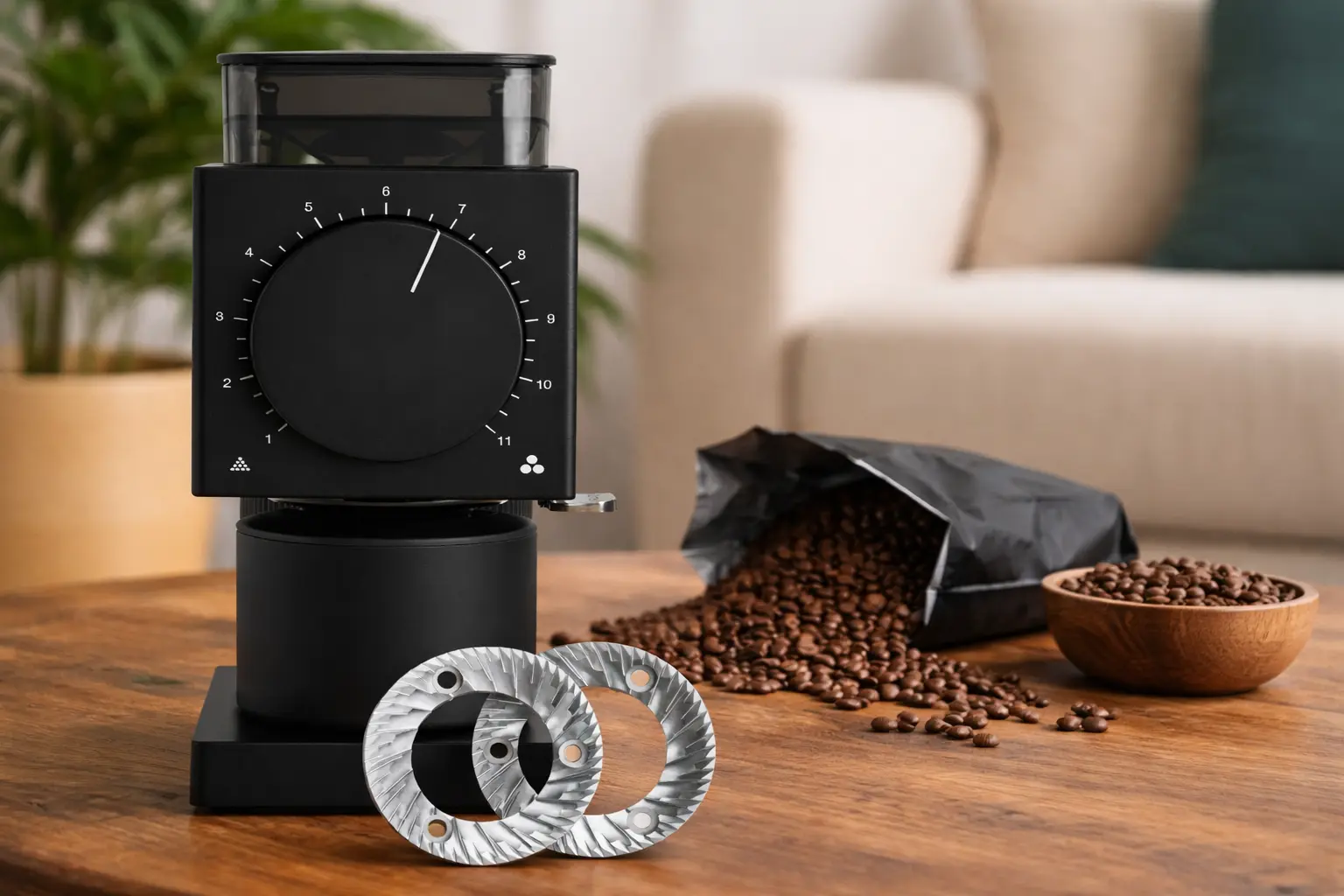 Fellow Ode Gen 2 Filter-focused electric alternative for pour-over and batch-brew users who do not need espresso-range grinding. Check Price on Amazon →
 Affiliate disclosure: These Amazon links may earn CoffeeGearHub a commission at no additional cost to you. Prices, sellers, and availability can change.
K6 Settings for Espresso
Start around 35–45 clicks for a conventional non-pressurized espresso basket. KINGrinder’s official espresso range is much broader at 25–60 clicks because espresso machines, baskets, doses, roast levels, and burr zero points vary substantially.
If a normal double shot gushes through in well under your target time, move finer by two or three clicks. If the machine struggles to push water through, the shot drips very slowly, or pressure rises without useful flow, move coarser by two or three clicks. Espresso is the brew method where the K6’s 16-micron steps are most useful, so avoid making 10-click jumps unless you are obviously far from the correct zone.
For a fuller espresso workflow—including dose, yield, and shot-time troubleshooting—see our Espresso Grind Size Chart and How to Dial In Espresso.
Ready to replace the café run?Breville Bambino Plus is our beginner espresso pick: compact, fast to heat, with automatic milk texturing. Compare espresso machines
Check Price →K6 Settings for Moka Pot
Start around 65–75 clicks. That places the K6 just above one full rotation and inside KINGrinder’s official 60–90 click moka pot/AeroPress range.
Moka pot coffee should be finer than standard drip but coarser than espresso. If the cup tastes thin and the brew races through, move a little finer. If the brewer sputters early, tastes aggressively bitter, or appears to struggle against the coffee bed, move coarser and reduce heat before assuming the grinder is the only problem.
Our dedicated Moka Pot Grind Size Chart covers grind texture, heat, fill level, and the signs of over- and under-extraction. If you are still choosing equipment, see Best Grinders for Moka Pot.
Brewing moka pot?Bialetti Moka Express is our best overall moka pot; choose the stainless Venus for induction. Compare moka pots
Check Price →K6 Settings for AeroPress
AeroPress is unusually flexible, so there is no single K6 number that fits every recipe. Start around 70–85 clicks for a balanced standard recipe, then change the grind according to contact time.
Short, concentrated brews generally benefit from the finer end of the range. Long immersion recipes can move coarser because the coffee remains in contact with water for more time. If pressing requires excessive force, move coarser rather than forcing the plunger.
For recipe-specific numbers, use the AeroPress Grind Size Guide. The broader AeroPress Brew Guide explains how grind interacts with water temperature, agitation, steep time, and paper versus metal filtration.
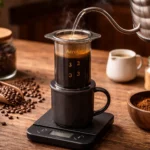
Brewing AeroPress?AeroPress Original is the version most recipes are written for. A temperature-control kettle is the next upgrade. Best kettles for AeroPress
Check Price →K6 Settings for Pour-Over: V60, Kalita Wave and Chemex
KINGrinder’s official pour-over/siphon range is 90–120 clicks. That is a useful umbrella band, but different brewers create different resistance.
For a V60, start around 90–105 clicks. For a Kalita Wave, start around 95–110. For Chemex, start around 105–120 because the thicker filter can slow drawdown.
Do not use brew time alone. If the cup tastes sharply sour or thin while the drawdown is fast, move finer. If the cup tastes harsh, dry, or bitter and the drawdown is very slow, move coarser. Pour technique, filter type, coffee dose, and bean processing can all change flow even when the grinder stays fixed.
See our Pour-Over Grind Size Chart and V60 vs Chemex vs Kalita Wave comparison for brewer-specific context.
K6 Settings for Automatic Drip Coffee
For a typical home drip machine, start around 100–115 clicks. This keeps the K6 in its manufacturer-defined medium range while leaving enough room to tune for basket shape, batch size, and filter resistance.
Flat-bottom drip baskets often work well near the middle of that range. Cone baskets may need a slightly different setting because the coffee bed is deeper. Larger batches can also require a slightly coarser grind to prevent slow drainage and over-extraction.
If you are trying to improve a machine you already own, pair this chart with How to Brew Drip Coffee at Home and the Drip Coffee Ratio Chart.
K6 Settings for Siphon Coffee
Start around 95–110 clicks. KINGrinder groups siphon with pour-over in its 90–120 click reference band, which is sensible because both methods generally perform in the medium-fine to medium range.
The filter matters. Cloth filters can tolerate a different particle distribution than metal or paper filters, and a grind that is too fine may slow drawdown at the end of the brew. If the return to the lower chamber stalls, move a little coarser before changing the entire recipe.
CoffeeGearHub’s Best Siphon Coffee Makers guide explains brewer design and filter differences if you are building a siphon setup.
K6 Settings for French Press
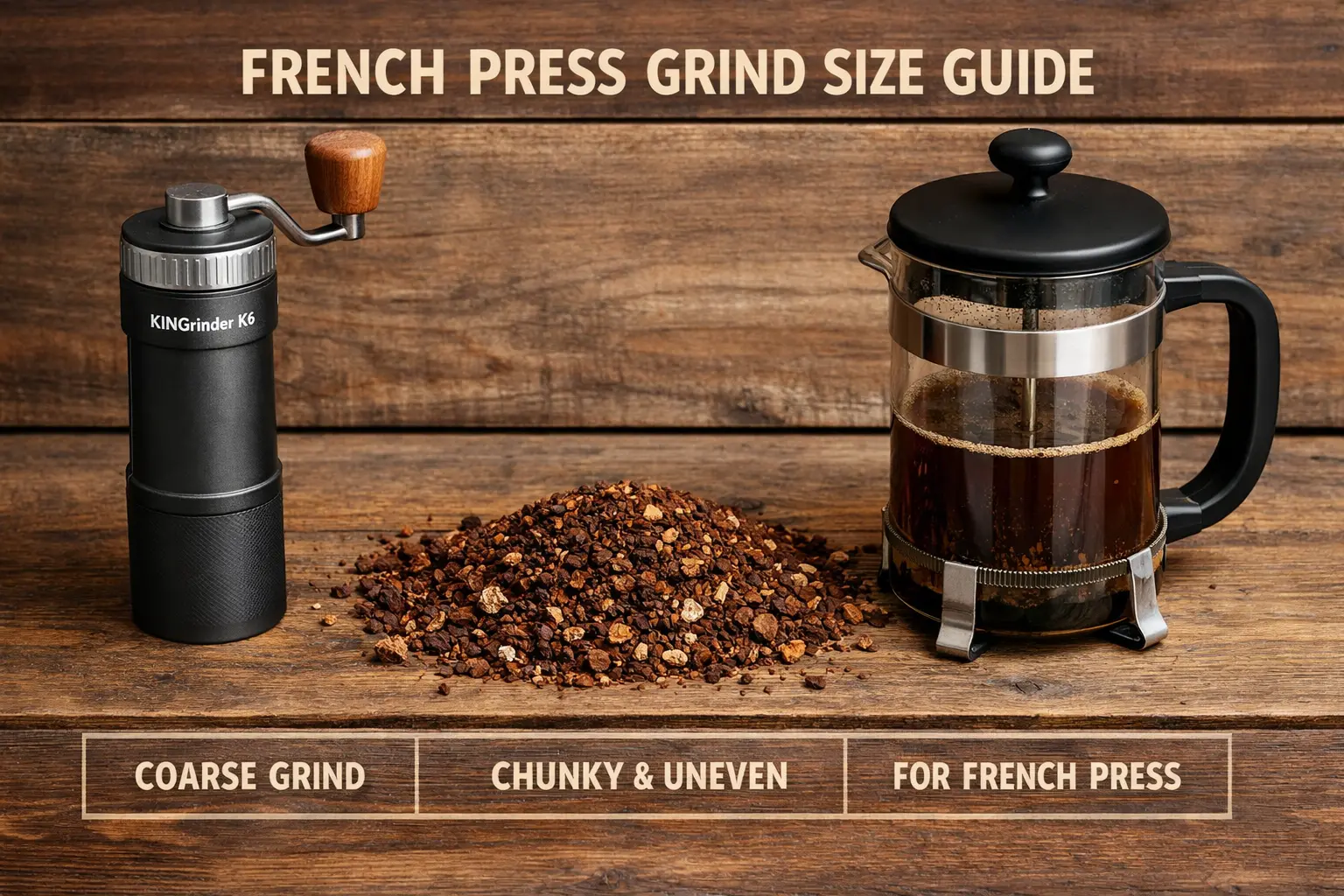
KINGrinder’s current reference lands French press at about 150 clicks, or 2.5 full rotations. That is a good coarse benchmark, but you do not always need to stay at the absolute coarse end.
For many immersion recipes, start around 135–150 clicks. Move a little finer if the cup tastes hollow after a normal steep, or coarser if excessive sediment and harshness dominate. Remember that a cleaner cup can also come from a gentler plunge and better decanting rather than an even coarser grind.
For a more detailed French press dial-in system, see French Press Grind Size Guide and the French Press Coffee Ratio Chart.
K6 Settings for Cold Brew
Start around 150 clicks, or 2.5 rotations, for a conventional 12–18 hour immersion brew. That aligns closely with KINGrinder’s coarse reference point.
Move toward 145 clicks if you are using a shorter steep and the cup tastes weak. Move toward 155–160 clicks for very long steeps or when the batch tastes muddy and over-extracted. Grind size is only one part of cold brew: coffee-to-water ratio and steep time usually have an equally large effect.
Use our Cold Brew Coffee at Home guide for ratios, steep times, filtering, and dilution.
K6 Settings for Turkish-Style Coffee
Turkish-style coffee requires the finest grind in this guide. The manufacturer’s current brew-method chart extends the K6 Turkish reference down into the extra-fine range, but KINGrinder also warns users not to grind inside the first 16 clicks from zero.
A practical starting point is therefore around 18–25 clicks, adjusting finer only if your grinder’s zero point and burr alignment allow it without entering the restricted zone. The target is flour-like powder rather than visible granules. Because Turkish coffee is unfiltered, even a small shift in particle size changes texture substantially.
How to Dial In the K6 Without Losing Your Place
The easiest way to use the K6 is to change one variable at a time. Keep coffee dose, water amount, water temperature, filter, and brewing technique as stable as possible while you adjust grind.
- Zero gently. Turn clockwise until you reach the reference stop. Do not overtighten the burrs.
- Move to the method’s starting zone. Count clicks or rotations from zero instead of trusting the printed dial number by itself.
- Brew one normal recipe. Do not compensate with extra coffee or a different water volume yet.
- Judge flavor and flow together. Sour, thin, fast brews usually need a finer grind; harsh, dry, slow brews usually need a coarser grind.
- Use small adjustments. Espresso may need two- or three-click changes. Filter and immersion brewing usually responds well to three- to five-click changes.
- Write the final number down. Record coffee, roast date, dose, brewer, and K6 setting so you can repeat the cup later.
Simple rule: if the coffee tastes under-extracted—sharp, sour, hollow, or watery—move finer. If it tastes over-extracted—dry, harsh, bitter, or astringent—move coarser. Then brew again without changing three other variables at the same time.
How Roast Level Changes the Setting
Dark-roasted beans are more brittle and usually create more fines at the same mechanical setting than dense light roasts. That means the same K6 number can behave differently from one coffee to another.
For light roasts, you may need to move slightly finer or use hotter water to achieve enough extraction. For dark roasts, moving a few clicks coarser can reduce bitterness and keep flow from slowing too much. Espresso exaggerates this difference, but it also appears in pour-over and drip brewing.
This is why a grinder chart should never be treated as a permanent lookup table. The chart gets you into the correct neighborhood; taste finishes the job.
Common KINGrinder K6 Setting Mistakes
Reading the printed number as the total click count
The dial’s displayed number is not guaranteed to equal the number of clicks from your zero point. Count from zero or keep a written rotation-plus-click reference.
Forcing the dial tighter at zero
Zero is a calibration reference. Cranking the burrs together more tightly does not make your settings more accurate and can put unnecessary stress on the grinder.
Changing grind and recipe at the same time
If you change grind, dose, water, temperature, and brew time together, you will not know what fixed—or damaged—the cup. Keep the recipe stable while adjusting the K6.
Using one setting for every coffee
Two coffees can need noticeably different K6 settings even in the same brewer. Roast level, origin, processing, age, and bean density all change extraction and flow.
Making huge jumps after one bad brew
The K6 has fine adjustment resolution. Use it. A three- to five-click change can be meaningful, especially around espresso and fine filter settings.
Still choosing between the K6 and a pricier alternative? Our KINGrinder K6 vs 1Zpresso K-Ultra comparison explains how the two differ on adjustment, burrs, and day-to-day use.
Frequently Asked Questions
How many clicks are in one rotation on the KINGrinder K6?
KINGrinder specifies 60 clicks per full rotation on the K6, with approximately 16 microns of adjustment per click.
What is the best K6 setting for espresso?
Start around 35–45 clicks for a conventional non-pressurized basket, then adjust in two- or three-click steps. KINGrinder’s broader official espresso reference is 25–60 clicks.
What is the best K6 setting for moka pot?
Start around 65–75 clicks. That places the grinder just above one full rotation and inside KINGrinder’s official 60–90 click range for moka pot and AeroPress.
What is the best K6 setting for pour-over?
Start around 90–105 clicks for V60, 95–110 for Kalita Wave, and 105–120 for Chemex. KINGrinder’s official pour-over/siphon reference is 90–120 clicks.
What is the best K6 setting for French press?
KINGrinder’s reference point is around 150 clicks. A practical starting range is about 135–150 depending on steep time, coffee, and how much sediment you prefer.
What is the best K6 setting for cold brew?
Start around 150 clicks for a conventional immersion cold brew. Move a little finer for shorter steeps or coarser for very long steeps and muddy batches.
Why does my K6 setting differ from someone else’s?
Zero point, burr alignment, coffee, roast level, dose, brewer, filter, and recipe all affect the setting. A published number is a starting point, not a calibration standard shared perfectly by every grinder.
Sources and Further Reading
Primary manufacturer references: KINGrinder product and grind-setting charts, KINGrinder exterior-adjustment specifications, and KINGrinder exterior grind-setting instructions. Manufacturer guidance was checked in September 2026.
CoffeeGearHub product shortlist
Compare related grinders on CoffeeGearHub
Review specifications and current verified merchant offers on CoffeeGearHub before leaving the site.
Thinking of a K6 as a gift? Our gifts for AeroPress and pour-over lovers pairs hand grinders with kettles, scales, and brewers.
Continue Learning
In this guide
- The 30-Second Answer
- How the K6 Dial Works
- K6 Grind Settings Chart
- Similar Grinders
- Espresso Settings
- Moka Pot Settings
- AeroPress Settings
- Pour-Over Settings
- Drip Settings
- Siphon Settings
- French Press Settings
- Cold Brew Settings
- Turkish Settings
- How to Dial In
- Roast Level
- Common Mistakes
- Frequently Asked Questions
- Sources and Further Reading
- Continue Learning